


I finished my first AI video workflow project last month and I’m still thinking about it — not because it was complicated, but because it solved a problem I see constantly and never quite knew how to address.
TomKat Stitchery is an online sewing education brand based in Carmel. They had shelves of long-form video lessons — detailed, well-made content that took real hours to create. Their challenge wasn’t making more material. It was figuring out how to turn what they already had into consistent short-form posts without editing becoming a part-time job on top of running an actual business.
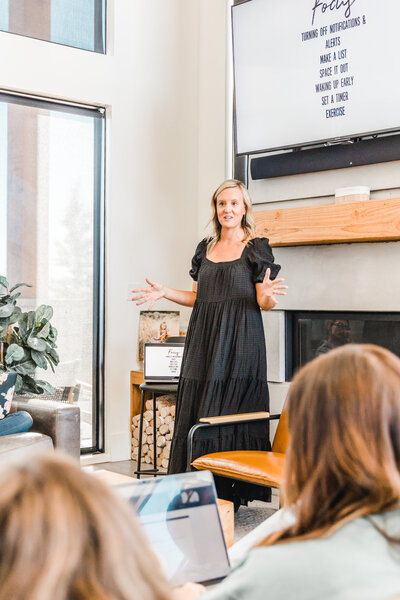
This wasn’t my usual content session, but it scratched the same itch. I love building systems that make showing up easier. Whether that’s through strategic brand photography or a workflow that turns one long video into weeks of posts, the goal is the same: stop reinventing the wheel every single week.



What Happens When Good Content Sits Unused
Course creators and small business owners end up here all the time. You have plenty of expertise, plenty of footage, maybe even a decent audience. But every time you sit down to “quickly pull a few clips,” three hours disappear into editing decisions, caption formatting, and the general chaos of files that don’t have a home.
TomKat Stitchery wasn’t lacking material. They were lacking a repeatable process that fit the pace of running a real business. So we built one.
What We Actually Built – AI Video Workflow Small Business
Instead of introducing a dozen new tools, we started with what they already used and found the spots where they were losing the most time.
Horizontal to vertical in Final Cut Pro. Their existing editing software became the foundation for converting long-form lessons into short-form clips. Duplicate, reframe, adjust, export. Speed and consistency over perfection — every time.
Transcripts through Descript. Course creators need accurate transcripts for more than just captions — they become class notes, lesson resources, and ready-made post copy. We set up a workflow to generate transcripts, clean them without over-editing, and export text that works across multiple formats.
Branded exports through Lightroom presets. A simple watermark system so every export looks consistent without manual placement. One click, done.
And for every step, we recorded a short tutorial. Not because the process was complicated, but because having a quick reference means the workflow actually gets used when things get busy — not just in the week after we built it.
Why Starting With What You Have Works Better
The biggest lesson from this project was one I already knew from brand content sessions but hadn’t applied to video: if you already have long-form material, you’re sitting on months of marketing. The missing piece is almost always the process, not the content.
The fastest system is the one you’ll actually use. Adding five new platforms sounds impressive. Building smarter shortcuts inside the tool you already know? That’s what sticks three months later.
For TomKat Stitchery, clip creation that used to take an hour now takes around fifteen minutes. Transcripts happen while they edit instead of becoming a separate task they put off. Their team can maintain consistency even during busy teaching seasons — without needing me in the room.
The Part That Surprised Me
Working on this felt a lot like a brand content session, and I didn’t expect that.
In a content day, we capture 50+ images designed to work across websites, social media, email, hiring posts, and speaking bios. For TomKat Stitchery, we took existing videos and built pathways to turn them into short-form clips, reliable transcripts, and branded exports.
The common thread is sustainability. Photos that run out in two weeks don’t help your business. Neither does a workflow that requires starting from scratch every time.
The best systems feel invisible once they’re running. You stop thinking about the process and start thinking about what you actually want to say — which is the whole point.
If You’re Sitting on Footage Right Now
You probably already know it could be doing more. The solution usually isn’t creating more content — it’s building better pathways to use what you already have.
That applies whether you need an AI video workflow for existing course material or a strategic content day that produces months of usable photos and video. The question is the same either way: what system would actually support your schedule?
If you want to talk through what that looks like for your business, let’s start with a discovery call. We’ll figure out what makes the most sense for where you are right now.







+ view comments . . .